

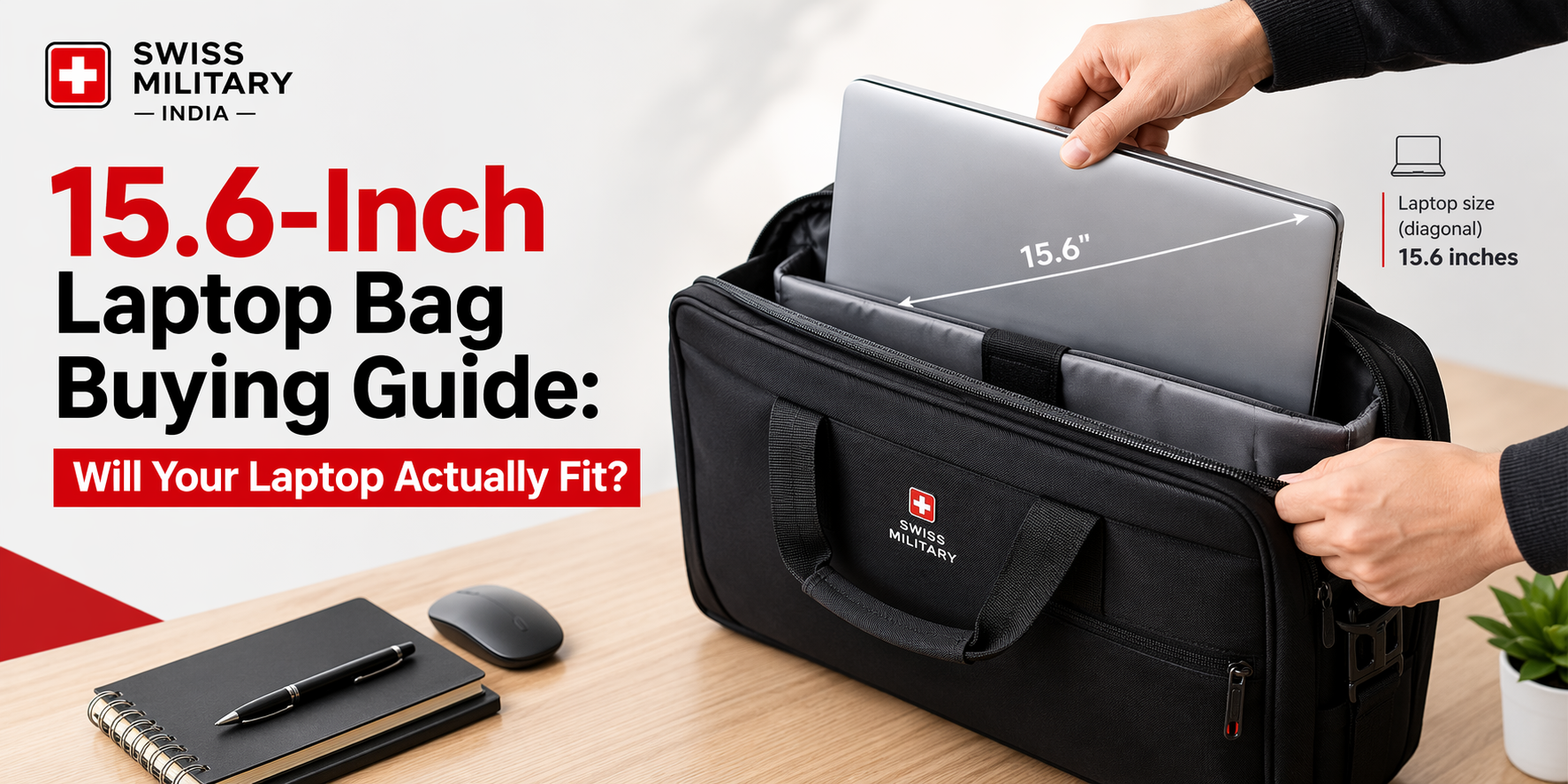
Short answer: A bag labelled “fits up to 15.6 inches” will fit most laptops with a 15.6-inch screen, but not all. The label refers to screen size, not the laptop’s real body. Always compare your laptop’s length, width and thickness with the bag’s inside compartment size. Leave at least 1 to 2 cm of free space on each side.
What does “15.6-inch” actually mean?
The number is the diagonal length of the screen, measured from one corner to the opposite corner. It is not the width of the laptop.
A 15.6-inch screen is about 39.6 cm across the diagonal. The laptop body is usually around 35 to 38 cm wide and 23 to 26 cm deep. Thin office laptops are often under 2 cm thick. Gaming laptops and workstations can be wider, deeper and thicker, and many are around 2.5 to 3 cm thick.
This is why two laptops with the same screen size can behave very differently inside the same bag.
How to check if your laptop will fit
Follow these four steps before you buy:
- Measure your laptop. Close the lid and measure the length, width and thickness in centimetres. Use a ruler, not the screen size.
- Add the charger. If you carry the charger in the same compartment, add roughly 2 to 3 cm to the thickness.
- Find the inside size of the bag compartment. Look for the “laptop compartment dimensions” on the product page, not the outer bag size.
- Compare. The compartment should be at least 1 to 2 cm larger than your laptop in length and width, and at least 1 cm thicker.
If the product page does not list inside dimensions, treat that as a warning sign and check the questions and reviews section.
Quick size comparison table
| Laptop type | Typical screen | Typical thickness | What to look for in a bag |
|---|---|---|---|
| Thin office laptop | 15.6 inch | Under 2 cm | Standard 15.6-inch laptop compartment |
| Standard mainstream laptop | 15.6 inch | 2 to 2.5 cm | Compartment with a little extra depth |
| Gaming or workstation laptop | 15.6 inch | 2.5 to 3+ cm | Roomy compartment, padded base, extra width |
| Older laptop with large bezels | 15.6 inch | 2.5 cm+ | Check body width, not just the label |
These are typical ranges. Your own laptop’s measurements always matter more than the table.
Which features matter most in a 15.6-inch laptop bag?
A padded, separate laptop compartment. It keeps the laptop away from your keys, bottle and other items. Padding on the bottom matters most, because that’s where the bag lands when you put it down.
A raised base. Bags with a slightly lifted base stop the laptop edge from hitting wet floors during the monsoon.
Water-resistant fabric. It won’t survive a flood, but it handles light rain and spills well.
Strong zips and stitching. A laptop is heavy, so weak zips and thin straps tend to fail first.
Comfortable straps. A 15.6-inch laptop with a charger can weigh 2.5 to 3.5 kg. Wide, padded shoulder straps or a good handle makes a real difference on daily commutes.
Extra pockets. Look for places for a charger, mouse, power bank and documents so nothing presses against the laptop.
Backpack, messenger bag or briefcase?
Choose a backpack if you commute daily, travel by metro or bus, or carry more than just a laptop. It spreads weight across both shoulders. You can browse options in the laptop bags collection to compare layouts.
Choose a messenger or sling-style bag for short trips and light loads. It’s quick to access, but it puts weight on one shoulder.
Choose a briefcase-style bag for formal meetings, if you carry only the laptop and a few papers.
If you also need space for a gym kit, lunch or a change of clothes, a larger backpack with a dedicated laptop sleeve is usually the more practical choice.
Common mistakes to avoid
- Trusting the label alone. “Fits 15.6 inch” is a guide, not a guarantee.
- Buying a bag that fits too tightly. A tight fit stresses the zip and makes the laptop hard to take out.
- Buying a bag that is too loose. The laptop slides around and takes more impact when the bag is dropped.
- Ignoring the charger. Many people measure only the laptop, then find no space for the adapter.
- Skipping reviews from people with the same laptop model. Search the reviews for your laptop’s brand or model name.
Frequently asked questions
Will a 15.6-inch laptop fit in a 15-inch bag?
Usually no. Most 15.6-inch laptops are too wide for a compartment made for a 15-inch screen, so choose a bag rated for 15.6 inches.
Can I use a 15.6-inch bag for a 14-inch laptop?
Yes, but the laptop will have extra room to move. A thin neoprene sleeve can help hold it in place.
Does a 17-inch laptop fit in a 15.6-inch bag?
No. A 17-inch laptop is noticeably wider and deeper. Choose a bag rated for 17 inches.
How much space should I leave around my laptop?
Aim for 1 to 2 cm extra on each side. Too much space makes the laptop slide, and too little makes it hard to remove.
Are gaming laptops harder to fit in bags?
Often, yes. They are usually thicker and carry large chargers, so check both the compartment depth and the extra pocket space.
Is water-resistant the same as waterproof?
No. Water-resistant fabric handles light rain and splashes. Waterproof bags are sealed to resist heavy exposure and submersion.
Key takeaways
- “15.6 inch” describes the screen diagonal, not the laptop’s body size.
- Measure your laptop and compare it with the bag’s inside compartment.
- Leave 1 to 2 cm of free space on each side.
- Padding, a raised base and strong zips protect your laptop more than looks do.
- Pick the bag style based on how you travel every day.
