

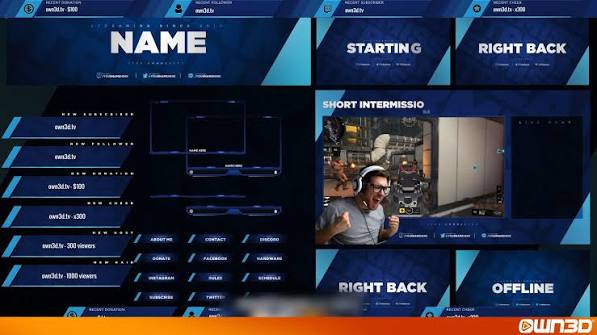
Open a dozen small slot gacor channels and you’ll notice a pattern. The ones that feel professional rarely have the flashiest graphics. They have clean, readable layouts where the game takes centre stage and every extra element earns its place. The ones that feel messy tend to have too much of everything: spinning logos, loud alerts, tickers, banners and widgets crowding the picture. Good stream overlays and alerts support the content instead of competing with it. This guide explains what each element does, how to design them with restraint and how to avoid the most common mistakes new streamers make.
What overlays are
An overlay is a graphic layer placed over your gameplay. It might frame your camera, show your name, display recent followers or list a goal. Alerts are pop-ups that appear when something happens, such as a new follower or a supporter.
Both are created in streaming software, which combines your game, camera, overlays and sound into the final picture viewers see.
Why less is more
Viewers come to watch you and your game. Every extra graphic takes space and attention. A cluttered screen hides important parts of the game and makes a channel look chaotic.
A good rule is to ask whether each element helps the viewer. If it doesn’t tell them something useful or add to the mood, remove it.
Essential elements
You don’t need many pieces to look polished.
- A clear frame for your camera, if you use one
- A small area for chat, if you want it on screen
- A subtle goal bar or latest-supporter display
- A simple name or logo in a corner
- A tidy set of alerts for the most important events
Start with these and add more only when you can explain why.
Layout and placement
Think about where the game’s own interface sits. Don’t cover health bars, maps or timers. Place overlays near the edges and keep a clear centre. Check your layout with several games, because different games use screen space differently.
Use consistent margins and sizes. Elements that line up neatly look intentional, while randomly placed ones look accidental.
Leave a little breathing room around the edges too. Many platforms and devices crop the picture slightly, so graphics pushed right to the border can get cut off. A small safe margin keeps names and numbers visible everywhere.
Colours, fonts and style
Choose a small palette of two or three colours, and one or two fonts. Pick colours that fit your personality but stay readable against different game backgrounds. Avoid fonts that are hard to read at small sizes.
Consistency makes a channel recognisable. When your colours and style repeat across your overlay, thumbnails and social pages, viewers start to remember you.
Alerts without annoyance
Alerts can be fun, but they can also be irritating. Keep them short, usually a few seconds, and keep the sound at a sensible volume. Avoid long animations that block the screen during key gameplay moments.
Consider turning off some alerts altogether, particularly for minor events. If a particular alert fires constantly, it’ll quickly feel like noise.
Sound matters
Poorly balanced sound ruins streams faster than poor graphics. Make sure alert sounds are quieter than your voice and the game. Test them with your headphones off and on, and ask a friend to listen to the stream.
Offer a way to mute alerts temporarily, for moments when you’re concentrating or telling a story.
Testing and adjusting
- Record a short test and watch it on a phone screen.
- Check that text is readable at small sizes.
- Confirm that no important slot jackpot information is hidden.
- Trigger test alerts and listen to the volume.
- Ask a friend for honest feedback.
Many viewers watch on phones, so a layout that looks fine on a big monitor can feel tiny and crowded on a small screen.
Where to get designs
Many streamers start with free or low-cost templates and customise them. Others commission artists or learn to design their own. Whichever you choose, check licences and make sure you have the right to use the artwork.
Don’t copy another streamer’s design. A simple original layout beats a copy of someone else’s work.
Review your overlay every few months. Channels change, and what suited you at the start may feel dated or cluttered later. Remove anything you no longer use, update goals and refresh colours if your brand has shifted. Treat the layout as a living thing that grows with your channel, and ask regular viewers what they like and what distracts them.
Frequently asked questions
Do I need stream overlays and alerts to start streaming?
No. A clean game feed and a simple name graphic are enough. Add more as your channel grows.
How many alerts are too many?
If viewers can’t see the game or they’re hearing sounds constantly, you have too many. Keep only the ones that matter.
What size should overlay text be?
Large enough to read on a phone. Test your stream on a small screen before going live.
The short version
Keep the game in focus, use a small palette and make alerts brief and quiet. Good stream overlays and alerts are nearly invisible, and they make your channel feel welcoming.
