

Running a restaurant involves managing a long chain of moving parts — staffing, inventory, food quality, and customer experience — all at once. Menus sit at the center of that experience, but physical menus have always carried a quiet operational burden: printing costs, reprinting after price changes, cross-contamination concerns, and the ongoing task of keeping every copy current and presentable.
Over the past several years, digital menus accessed through smartphone cameras have become a standard part of how many restaurants operate. What was once seen as a temporary workaround has proven itself as a practical, durable tool. For restaurant owners and managers who haven’t yet made the switch — or who tried once and found the process confusing — this guide walks through the setup clearly and practically, without assuming any prior technical knowledge.
What a QR Code Menu Actually Is and How It Works
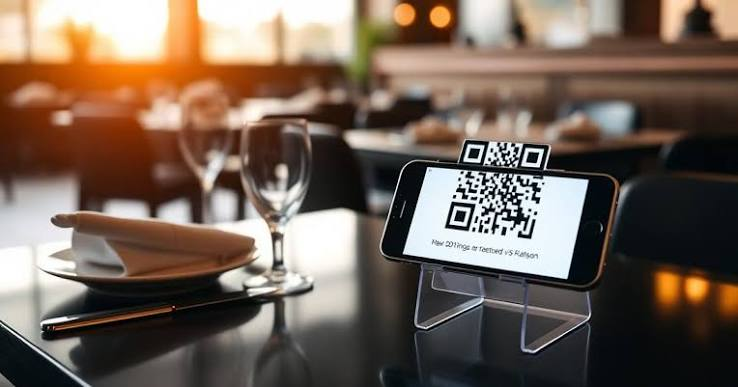
A qr code menu is a digital version of your restaurant’s menu that customers access by scanning a small, square barcode with their smartphone camera. The scan opens a webpage or document directly on the customer’s phone — no app download required, no account creation, no friction. The QR code itself is simply a visual pattern that encodes a web address. When a phone camera reads that pattern, it follows the link automatically.
The operational value of this setup becomes clear when you consider what it replaces. Physical menus require continuous management — lamination wears out, pages tear, pricing becomes outdated, and health codes in many jurisdictions require regular sanitization between uses. A digital menu removes most of that maintenance cycle. When you update the digital file, every table in the restaurant reflects that change immediately, without reprinting a single page.
For an in-depth look at how QR codes function at a technical level, the ISO standard for QR code specifications outlines the encoding structure that makes this technology universally readable across devices and manufacturers.
Why Smartphones Read QR Codes Without a Special App
Most modern smartphones running iOS or Android include native QR code reading in their built-in camera applications. This means a customer simply points their camera at the code — as if taking a photo — and a notification appears prompting them to open the linked page. This has been standard behavior on iPhones since iOS 11 and on most Android devices for several years as well.
The implication for restaurant operators is significant. There is no installation step for your customers, no tutorial needed from your staff, and no barrier between the table and the menu. The only requirement is that the QR code links to a page that loads cleanly on a mobile screen — which is a design consideration that the menu platform you choose should handle automatically.
Choosing the Right Platform to Host Your Menu
Before you can generate a QR code, you need a place to put your menu online. There are several categories of tools that restaurant operators typically use, and each comes with different trade-offs in terms of control, flexibility, and ease of updating.
PDF Uploads vs. Purpose-Built Menu Platforms
Some restaurant owners begin by simply uploading a PDF version of their existing menu to a file-sharing service and linking the QR code to that file. This approach is fast to set up, but it creates a long-term maintenance problem. PDFs are not designed to display cleanly on mobile screens — customers often have to pinch and zoom to read text, and the experience on smaller phones can be frustrating. More importantly, every time a price or item changes, you have to generate and upload a new PDF, then update the QR code link, or risk customers viewing outdated information.
Purpose-built menu platforms solve both problems. They format your menu to display cleanly on any screen size, and they allow you to update items, prices, or descriptions in real time through an online dashboard. The QR code stays the same — it points to the same web address — so there’s no need to reprint table cards or coasters when your menu changes.
What to Look for When Evaluating a Platform
When comparing menu hosting options, the most important considerations are not visual design or feature count — they are reliability and ease of editing. A platform that goes offline during dinner service causes real operational problems. A platform that requires technical knowledge to update will simply not get updated, which defeats the purpose entirely.
Look for platforms that offer straightforward editing interfaces similar to a basic spreadsheet or word processor. Consider whether the platform allows you to organize items by category, add descriptions and allergen notes, and control whether certain items are available at certain times. These are functional needs that come up quickly once the system is in daily use.
Generating and Formatting Your QR Code
Once your menu is hosted at a stable web address, generating the QR code is a straightforward process. Dozens of free and paid QR code generators are available online. You enter the web address of your menu, the tool produces a downloadable image file, and that image becomes your printed or displayed QR code.
File Format and Print Quality
The format of the QR code image matters more than most restaurant operators realize at first. QR codes intended for print should be downloaded as vector files — typically SVG or PDF format — rather than standard image files like JPEG or PNG. Vector files can be scaled to any size without losing sharpness, which means the code will scan reliably whether it’s printed on a small table tent or a large sign near the entrance.
Low-resolution QR codes that appear slightly blurry or pixelated when printed often fail to scan consistently, particularly in lower-light dining environments. Testing the printed code at actual table distance before finalizing your materials saves a significant amount of trouble later. Scan it from multiple angles, in the lighting conditions your dining room actually has during service hours.
Embedding the Code Into Table Materials
A QR code placed on a small card, a table tent, a coaster, or directly on the table surface should be large enough to scan comfortably from the distance a seated customer would naturally hold their phone. It should also be surrounded by enough blank space — called a quiet zone — to help the camera isolate the code from surrounding text or images.
Including a one-line instruction near the code, such as “Scan with your phone camera to view our menu,” removes any uncertainty for customers who are unfamiliar with the process. This small addition reduces the number of questions staff need to field during service.
Keeping Your Digital Menu Current and Accurate
The most common failure point with digital menus is not the technology — it is the discipline of keeping the menu content accurate over time. A qr code menu that shows discontinued dishes, incorrect prices, or unavailable items creates customer frustration and puts unnecessary pressure on front-of-house staff to explain discrepancies at the table.
Building a Simple Update Process
The easiest way to keep a digital menu accurate is to assign one person the responsibility for updates and to set a predictable schedule for reviewing content. This does not need to be a formal process — it can be as simple as a brief check each time the physical specials board changes, or a weekly review before the weekend service begins.
Most platforms designed for restaurant menus allow updates to be made from a phone or tablet, which means the person responsible for changes does not need to be at a desktop computer. A manager making a quick edit from the kitchen or office before service starts is entirely realistic with the right platform in place.
Managing Seasonal and Daily Changes
Restaurants that change their offerings frequently — seasonal menus, daily specials, or rotating taps — benefit most from a digital approach, but also have the most to lose if updates are delayed. Some platforms allow operators to schedule items to appear or disappear at specific times, which removes the manual step entirely for predictable changes. For less predictable changes, having a clear internal communication chain between kitchen and whoever manages the digital menu prevents the situation where a customer orders something that was removed from the kitchen rotation three days ago.
Training Staff and Managing the Transition
Introducing a qr code menu into daily operations does not require significant staff training, but it does require a brief, clear conversation before the system goes live. Staff who understand how the system works — and what to do when a customer has trouble scanning — can handle most situations calmly and without interrupting service.
Handling Customers Who Prefer Physical Menus
Not every customer will be comfortable with a digital menu, and a restaurant that removes physical menus entirely without having a fallback option creates unnecessary friction for a segment of its guests. Keeping a small number of physical menus available for customers who request them is a straightforward solution that respects different preferences without undermining the efficiency gains of the digital system.
Staff should be briefed to offer a physical menu without hesitation when asked, and not to treat the request as unusual. The goal of the system is to reduce operational burden, not to create a binary choice that makes any customer feel unwelcome.
Closing Thoughts
Setting up a qr code menu is one of the more practical operational changes a restaurant can make without significant investment or technical complexity. The core process — hosting a menu at a stable web address, generating a QR code that points to it, and printing that code on table materials — can be completed in a single afternoon by someone with no prior experience in web technology.
The longer-term value comes from the discipline of keeping the digital menu accurate and the decision to choose a hosting platform that is reliable enough to handle real service conditions. When those two elements are in place, the system reduces reprinting costs, supports cleaner table management, and gives kitchen and management teams the flexibility to adjust pricing or offerings without a lag between the decision and what customers see.
For restaurants that have delayed this transition because the process seemed technical or uncertain, the practical reality is more accessible than it appears. Starting with a single QR code on a table card, testing it through a full service shift, and refining from there is a reasonable path that does not require committing to any large-scale change before the system has proven itself in your specific environment.
